How to Choose Auto Assignment and Reminder Software: A Complete Buyer's Guide
Your team ignores half the tasks you assign because the reminder never reaches them. A spreadsheet or a group chat can hand out work, but neither chases a deadline or notices when a job quietly stalls. The tool you pick decides whether assignments move or sit.
This guide walks through what actually matters in auto assignment and reminder software: rule-based and round-robin routing, reminders people see, security, and pricing. You will also see how Tasks.Bot handles assignment, voice-note task creation, and GPS tracking, so you can judge whether it fits your team.
What Is Tasks.Bot? Who It's Built For and What It Does
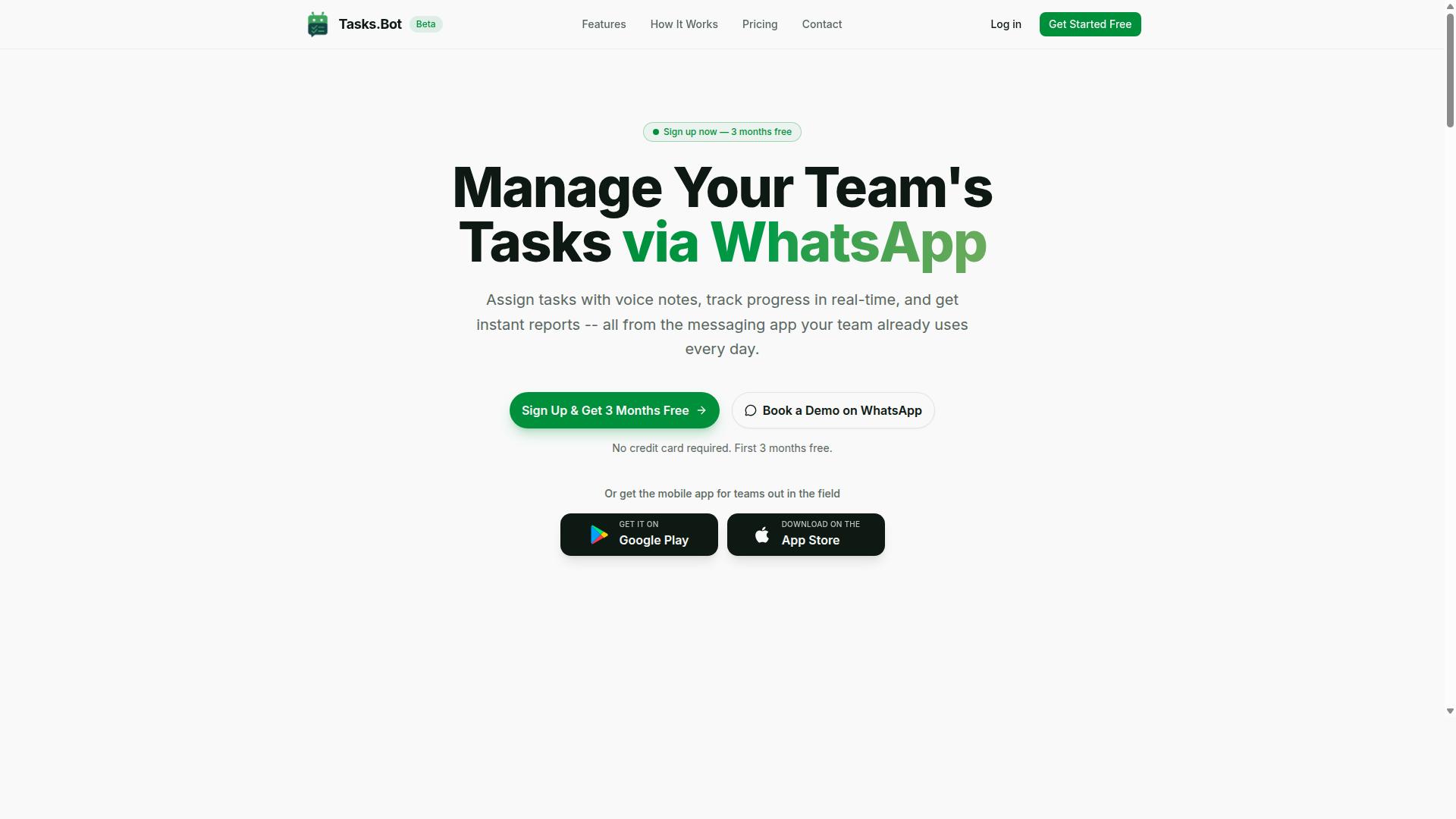
Tasks.Bot is a task management platform that operates entirely within WhatsApp, enabling teams to assign tasks, track progress, and receive reports without leaving the messaging app they already use daily. Instead of asking staff to adopt yet another dashboard, it turns a familiar chat thread into a lightweight work hub for auto assignment and follow-up.
The product is a SaaS tool, meaning there is nothing to install on a server and no IT project to manage. Teams connect through WhatsApp and start coordinating work in the same place they already send messages. A companion mobile app supports field teams who need to work away from a desk.
At a high level, Tasks.Bot covers three core jobs:
- Assigning tasks to the right people
- Tracking progress as work moves forward
- Generating reports so managers can see what happened
That combination matters for anyone evaluating reminder software. A task that is assigned but never followed up is just a message in a crowded thread. Because assignment, tracking, and reporting live in one place, managers get visibility without chasing updates by hand.
The target audience is straightforward: teams that already run their day on WhatsApp. This includes field service crews, delivery and logistics staff, maintenance teams, and small businesses whose workers are rarely at a computer.
For these groups, the mobile app adds practical value. Field staff can use it for attendance tracking and to capture hours that are ready for payroll. That removes a common pain point for operations managers who currently collect timesheets through screenshots and voice notes.
Tasks.Bot is currently in beta and is used by hundreds of teams. It also offers a free trial period, which gives buyers a low-risk way to see whether WhatsApp-based task management fits how their staff already communicate. For a buyer weighing auto assignment software, that hands-on trial is often more useful than a feature checklist, since adoption by field staff is usually the hardest part of any rollout.
In short, Tasks.Bot is a focused tool rather than a sprawling platform. It does not try to replace a full project management suite. It targets the gap between chat apps that are great for conversation and formal systems that field teams rarely open. If your staff live in WhatsApp and your managers need cleaner task routing, progress tracking, and payroll-ready records, Tasks.Bot is built precisely for that situation.
Why Tasks.Bot Is the Answer to Choosing Auto Assignment and Reminder Software
Choosing the right auto assignment and reminder software can make or break your team's productivity, and Tasks.Bot addresses this by embedding intelligent task routing and reminders directly into WhatsApp. Instead of adding yet another dashboard to your stack, it turns a tool your team already opens every day into the place where work gets assigned, tracked, and completed.
Most teams struggle with the same three problems long before they start comparing vendors. Manual assignment creates errors, deadlines slip through the cracks, and employees grow tired of juggling one more login. Tasks.Bot was built to remove each of those friction points at the source.
Manual assignment errors happen when a manager has to remember who is free, who has the right skills, and who is already overloaded. Missed deadlines follow when reminders live in a system nobody checks. And app fatigue sets in when every new tool demands its own account, password, and learning curve.
Tasks.Bot sidesteps all three by operating entirely within WhatsApp. Team members don't need to install anything or create new accounts, which means adoption happens almost immediately rather than after weeks of onboarding.
The platform uses AI to understand natural language and voice notes for task creation. A supervisor can simply describe what needs to happen, and the system captures it without forcing anyone to fill out a form. For teams in the field, that difference matters enormously.
- Natural language and voice note input for fast task creation
- Face-verified attendance and live GPS tracking for field staff
- Automated reminders that keep deadlines visible without manual follow-up
- Enterprise-grade encryption, with conversations and task data never shared or used for training
Consider a field service team. A dispatcher sends a job through WhatsApp, the assigned technician receives it on the same app they already use to coordinate, and smart deadline reminders prompt them before the window closes. No new app to learn, no missed notification buried in a separate inbox.
That reduction in friction is the core reason adoption holds up over time. When the tool lives where people already communicate, reminders actually get read and tasks actually get acknowledged. You can evaluate the platform yourself through a 3-month free trial with no credit card required, which gives your team room to test it against real workloads before committing.
For buyers working through this guide, the takeaway is straightforward. The best auto assignment and reminder software is the one your team will genuinely use, and Tasks.Bot answers that question by meeting people inside WhatsApp rather than asking them to leave it.
What to Look For in Auto Assignment and Reminder Software
When evaluating auto assignment and reminder software, focus on three critical areas: how tasks are assigned, how reminders are delivered, and how your data is protected. These pillars determine whether the tool reduces coordination overhead or simply moves it to a different screen.
Assignment logic decides who gets which task and when. Weak logic leads to uneven workloads, missed handoffs, and manual re-routing. Strong logic applies rule-based automation, workload balancing, and intelligent dispatching to keep work moving without a manager in the middle.
Reminder delivery decides whether deadlines are met. A capable notification engine reaches people on the channels they actually check, escalates when tasks slip, and stays quiet when nothing needs attention.
Security decides whether you can trust the platform with operational data. Encryption, access controls, and compliance certifications protect task details, communications, and customer information from exposure.
The three sections below examine each area in detail, including the specific features to compare, the questions to ask vendors, and the trade-offs that matter most for teams managing high task volumes across departments.
Automatic Task Assignment: Rules, Round-Robin, and AI
Effective automatic task assignment goes beyond simple round-robin; it requires a blend of rule-based automation, workload balancing, and intelligent dispatching powered by AI. Each method solves a different problem, and most mature platforms combine all three.
Rule-based assignment routes tasks according to defined conditions. Common triggers include required skill, location, language, account owner, priority, or product line. A support team handling ticket triage might route billing questions to the billing queue and technical issues to tier-two specialists, with no manual sorting.
Round-robin assignment distributes tasks evenly across a pool of eligible people. A sales team using it for lead distribution ensures each representative receives a fair share of inbound prospects in sequence. Variations include weighted round-robin, which gives higher-capacity or higher-performing reps a larger share.
AI-driven assignment goes a step further. Instead of matching rigid fields, it reads the task description, infers the right assignee from context, and can account for current workload, past resolution patterns, and availability. This is where intelligent dispatching earns its name.
Workload balancing sits underneath all three methods. It caps how many active items any one person carries, prevents burnout, and redistributes tasks when someone is out or overloaded. Without it, even good routing rules create bottlenecks.
- Rule-based: best for structured, repeatable routing like ticket triage or regional dispatch
- Round-robin: best for evenly distributing leads, reviews, or incoming requests
- AI-driven: best for unstructured tasks where the right owner is not obvious from a field
- Workload balancing: essential in every model to protect capacity and prevent burnout
When comparing tools, ask how assignment rules interact with workforce scheduling and resource allocation. A dispatcher that ignores who is on shift will assign work to people who cannot act on it.
Smart Deadline Reminders That Actually Reach Your Team
A reminder is only effective if it reaches the right person on the right channel at the right time, which is why a multi-channel notification engine is essential. A single email that lands in a crowded inbox is not a reminder strategy.
Look for support across the channels your team already uses. Email reminders suit documentation and records. SMS notifications reach people who are away from a desk. Push alerts cut through on mobile devices. In-app messaging keeps context next to the task itself.
Consider a field technician working on-site. An SMS reminder about an upcoming job arrives even when the app is closed. A manager tracking a project milestone gets a push alert as the deadline approaches, with enough lead time to reassign work if needed.
Smart reminders adapt rather than broadcast. They respect user preferences, quiet hours, and time zones. They escalate through escalation workflows when a task remains overdue, notifying a supervisor or reassigning the item. This pattern supports SLA compliance in service teams where a missed deadline has contractual consequences.
Two features deserve specific attention during evaluation. Calendar sync keeps due dates visible in the tools people already plan with, reducing the chance a task is forgotten. Support for recurring tasks and due date automation handles routine work without manual re-entry each cycle.
The final test is signal quality. Reminders should be actionable, tied to a specific task, and easy to act on from the notification itself. A tool that fires constant low-value alerts trains people to ignore all of them, including the ones that matter.
Security, Data Protection, and Enterprise-Grade Encryption
Security is non-negotiable when your team's tasks and communications flow through a third-party platform, so look for enterprise-grade encryption and robust data protection policies. Task data often includes customer names, internal priorities, and operational details that would be damaging if exposed.
Start with encryption. Encryption in transit protects data as it moves between users and servers. Encryption at rest protects stored data if a disk or backup is compromised. Together they form the baseline for end-to-end encryption in a business context.
Access control matters just as much. Role-based access ensures people see only the tasks, projects, and conversations relevant to their role. Granular permissions, audit logs, and single sign-on support are standard expectations for enterprise buyers.
Compliance certifications provide independent verification. GDPR alignment matters if you handle data belonging to EU residents. SOC 2 reports indicate that a vendor has undergone third-party review of its security controls. Ask for current documentation rather than marketing summaries.
Data residency options let you choose where information is stored, which matters for organizations with regional or contractual requirements. Confirm retention policies, deletion procedures, and how data is handled if you leave the platform.
- Encryption in transit and at rest, with clear documentation of both
- Role-based access controls and audit logging
- Compliance certifications relevant to your industry and region
- Data residency choices and defined retention policies
- Incident response and breach notification commitments
These protections apply across every feature discussed above. Assignment rules, notification history, and task records all contain sensitive information, so security should be evaluated as a foundation rather than an add-on.
How Tasks.Bot Delivers Auto Assignment and Reminders
Tasks.Bot delivers auto assignment and reminders through a unique combination of AI-powered task creation and real-time field tracking, all within WhatsApp. Instead of asking teams to learn a new dashboard, it meets them in the messaging app they already use every day.
This approach matters for buyers comparing auto assignment software. Adoption is often the hardest part of any rollout, and a tool that lives inside WhatsApp removes much of that friction. The result is a mobile-first workflow that field teams can pick up quickly.
The platform handles the core jobs this buyer's guide covers: automatic task assignment, smart deadline reminders, approvals and automations, and instant reports. It also includes tasks on a map, a live day tracker, face-verified attendance, and shifts, leave, and hours management.
Native WhatsApp integration sits at the center of all of it, supported by Android and iOS apps with push notifications, voice capture, and a home screen widget. The two subsections below explain how the AI task creation and field accountability features work in practice.
AI Task Creation From Natural Language and Voice Notes
Tasks.Bot uses AI to transform natural language and voice notes into structured tasks, eliminating the need for manual data entry and reducing friction for field teams. A user can send a voice note or type a message, and the system uses AI to understand intent and create the task from that message.
Consider a plumbing company. A manager sends a voice note saying, "Assign plumbing repair to John by Friday." Tasks.Bot parses the request and creates a task with the assignee, due date, and details already filled in. No form, no dropdown menus, no separate app.
This matters for several practical reasons:
- Faster task entry, since a message replaces a multi-field form
- Fewer errors, because details come straight from the original request
- Higher adoption, since staff already know how to send a WhatsApp message
- Hands-free creation for field staff who are on site and on the move
Voice capture is also available in the Android and iOS apps, so technicians can log work without typing. For buyers weighing reminder software, this lowers the barrier that usually kills rollout: staff simply will not use a tool that feels like extra admin. When task creation takes seconds, deadline tracking and due date automation actually get used.
Face-Verified Attendance, GPS Tracking, and Live Day Tracker
For teams with field staff, Tasks.Bot offers face-verified attendance, GPS tracking, and a live day tracker to ensure accountability and real-time visibility. These features address a common gap in field service management: knowing who is where, and what they are working on right now.
Picture a field technician starting the day. They check in with a selfie, and face verification confirms the clock-in. Their manager can then see their location and task status in real time through the live day tracker. Tasks on a map add geographic context to the day's work.
These capabilities support several management needs:
- Accurate payroll hours through verified clock-in and clock-out records
- Proof of presence at job sites, backed by GPS location data
- Dynamic task reassignment when priorities shift during the day
- Clear visibility into progress without chasing status updates by phone
The same platform covers shifts, leave, and hours management, so workforce scheduling data stays in one place. Instant reports turn that activity into something managers can review without assembling spreadsheets by hand.
Taken together, these features give buyers something concrete to evaluate. Auto assignment software is only as good as the data feeding it, and verified attendance plus live tracking keep that data current. For teams that need accountability alongside automation, Tasks.Bot pairs both in a single WhatsApp-based tool.
Pricing and Plans: Full Access With a Free Trial
Tasks.Bot offers a straightforward pricing model with a single Full Access plan that includes all features. There are no confusing tiers, no feature gates, and no upsells to worry about. Every capability the platform offers is available from day one.
This simplicity matters when you are comparing auto assignment software and reminder software. Many buyers spend hours mapping feature matrices across multiple tiers. With Tasks.Bot, that entire exercise disappears. You either pay monthly or annually, and you get everything.
Pricing is available in both Indian Rupees (₹) and US Dollars ($). A currency selector lets you choose the option that fits your billing location. Teams working across regions can verify the correct currency before committing.
| Plan | Price | Billing Basis |
|---|---|---|
| Monthly | ₹200 | Per member, per month |
| Annual | ₹1,200 | Per member, per year |
The annual plan delivers a 50% saving compared to paying monthly. That works out to saving ₹1,200 per year for every member on your team. For a ten-person team, the annual option cuts the yearly cost significantly.
New users also get 3 months free, with no credit card required. You can cancel anytime. This makes it easy to test the platform with your real workflows before any payment is made.
When evaluating reminder software or task routing tools, pricing transparency is a key factor. Tasks.Bot keeps it simple: one plan, two billing cycles, two currencies, and a clear free period to start. That structure removes the guesswork from your buyer's guide checklist.
Who Should Choose Tasks.Bot
Tasks.Bot is ideal for teams that already rely on WhatsApp for communication, particularly those with field staff who need task management, attendance tracking, and payroll-ready hours. Instead of asking workers to learn a new platform, it meets them inside an app they already open dozens of times a day.
That single design decision shapes who gets the most value from it. No new app to install means faster adoption, less training time, and fewer excuses for tasks to slip through the cracks. The site notes that hundreds of teams already use the service.
Below are the profiles where Tasks.Bot tends to fit best, along with the reasons why.
- Field service teams such as plumbing, electrical, and maintenance crews
- Sales teams on the go who work from phones rather than desks
- Any team that treats WhatsApp as its primary communication tool
- Small to medium businesses that want structure without heavy software overhead
- Teams with remote workers spread across locations or sites
Field service management is a natural fit. A plumbing company, for instance, can push a job to a technician through a familiar chat thread rather than a separate dispatch screen. Attendance tracking and payroll-ready hours matter here too, since these teams often log time on site rather than at a desk.
Construction offers a clear example. A site supervisor can assign daily tasks to workers across multiple locations, and because everything runs through WhatsApp, nobody needs to check a second system before starting the day. A delivery service follows a similar pattern when tracking driver locations alongside assigned routes.
Sales teams on the go benefit for much the same reason. When a rep is between meetings, a chat-based task list is faster to act on than a desktop dashboard. AI-powered task creation lowers the effort of capturing a follow-up in the moment, which matters when details are easy to forget.
Small and medium businesses often lack the budget or staff for a heavyweight platform rollout. Tasks.Bot keeps the barrier low: the interface is already familiar, so onboarding is about habits rather than software training. Remote workers get the same benefit, staying connected without another login to remember.
The common thread is simple. If your team lives in WhatsApp and works away from a desk, Tasks.Bot is built for how you already operate.
Final Verdict: Is Tasks.Bot the Right Choice for Your Team?
After evaluating its features, pricing, and unique WhatsApp-centric approach, Tasks.Bot emerges as a strong contender for teams seeking auto assignment and reminder software without the hassle of adopting a new platform.
The core appeal is simple. Most auto assignment software asks your team to learn a new app, check another dashboard, and rebuild habits from scratch. Tasks.Bot flips that model by living inside WhatsApp, the tool your staff already open dozens of times a day.
That single design decision shapes everything else, from how tasks get created to how reminders actually get read. For teams weighing a buyer's guide shortlist, it is a genuinely different value proposition.
Key strengths at a glance:
- WhatsApp integration: task assignment, reminders, and updates happen in a channel your team already uses daily
- AI-powered task creation: new tasks can be generated with less manual data entry
- Face-verified attendance: useful proof of presence for teams working outside an office
- Competitive pricing: positioned as an accessible option rather than an enterprise-only spend
For field service management, this combination matters. Auto assignment software only delivers value when workers actually see and act on the assignment, and a notification engine that lands in WhatsApp removes the biggest point of failure: the ignored app.
Face-verified attendance adds a second layer. When staff are spread across sites, attendance records tied to identity give managers cleaner data for workforce scheduling and accountability.
It is worth being honest about the trade-offs. Tasks.Bot is currently in beta, which means the product is still evolving and some edges may be rough. It is already used by hundreds of teams, so the foundation is proven, but buyers should expect ongoing refinement rather than a frozen, decade-old platform.
The second consideration is reliance on WhatsApp. If your organisation blocks WhatsApp, or your team simply does not use it, much of the product's advantage disappears. In that case, a conventional dashboard-first tool may fit better.
For everyone else, the calculus is favourable. Teams already on WhatsApp, especially those with field staff, get auto assignment, deadline tracking, and multi-channel-style reminders without a migration project. The barrier to adoption is close to zero because the platform is already installed on every phone.
The verdict: Tasks.Bot is the right choice for WhatsApp-based teams, particularly those managing field or mobile workers who need task routing and reminders they will actually see. It is a weaker fit for deskbound teams with no WhatsApp usage or strict policies against it.
If that profile sounds like your team, the next step is straightforward. Reach out to learn more or arrange a walkthrough of the platform.
- Phone: +91 97143 42522
- Email: [email protected]
- Demo: available on WhatsApp
Ask about how AI-powered task creation works in practice, how face-verified attendance is configured for field staff, and how pricing scales as your team grows. A short conversation will confirm quickly whether Tasks.Bot fits your workflow.
Frequently Asked Questions
Do my team members need to install a new app or create accounts to use Tasks.Bot?
No. Tasks.Bot operates entirely within WhatsApp, so your team can assign tasks, track progress, and receive reports without installing anything or creating new accounts. A mobile app is also available for field teams who need it. This makes onboarding fast for teams that already communicate on WhatsApp.
How does Tasks.Bot handle task creation and assignment?
Tasks.Bot uses AI to understand natural language and voice notes, so you can create tasks just by typing or sending a voice message. It also supports automatic task assignment, smart deadline reminders, approvals, and automations. This means less manual setup and fewer tasks falling through the cracks.
What does Tasks.Bot cost, and is there more than one plan?
Tasks.Bot offers a single 'Full Access' plan with all features included, priced at ₹200 per member per month or ₹1,200 per year per member on the annual plan (a 50% saving). Pricing is available in both Indian Rupees and US Dollars. For the most current pricing details, it's best to confirm directly with the Tasks.Bot team.
Is Tasks.Bot suitable for field teams, or is it only for office-based work?
Tasks.Bot is built with field teams in mind. Alongside WhatsApp task management, it offers a mobile app, tasks on a map, live day tracking, and face-verified attendance, plus payroll-ready hours. Teams that use WhatsApp for communication-especially those with field staff-are its core audience.
What reports and visibility does Tasks.Bot provide?
Tasks.Bot provides instant reports and live day tracking, so managers can see progress without chasing updates. Because everything runs inside WhatsApp, status updates and reports reach your team where they already are. This helps you spot delays early and keep work moving.
How do I see Tasks.Bot in action before committing?
You can book a demo on WhatsApp directly from the Tasks.Bot website. The service is currently in beta and is available worldwide, since it's a SaaS product accessible via WhatsApp and mobile apps. If you have questions, you can reach the team at [email protected] or +91 97143 42522.
Recommended Resources: